
Your documents have a new page turn
We replaced the library behind every Living Page flipbook with our own engine. It is already live on your documents, and there is nothing you need to do.
Every flipbook turns pages. Almost none of them feel like paper.
That was the thought that started this, and today it has an answer. Every flipbook on Living Page used to turn its pages with an open-source library. From today it turns them with an engine we wrote ourselves, called Leaf — and it is already running on every document on the platform, including yours.
There is nothing for you to do. Nothing is re-uploaded, nothing is re-rendered, nothing is migrated, and no link changes. The next time somebody opens a document you published last year, they get the new engine.
Here is why we built it.
They all turn the same way
Open a few flipbook tools side by side and you notice something: they mostly look the same. The same stiff fold, the same flat shadow, the same slightly mechanical turn. Many are built on the same handful of open-source libraries, and several of those have not been updated in years. When we measured the field, two of the engines we tested returned near-identical numbers on every metric — which is what shared ancestry looks like from the outside.
Meanwhile the devices we read on have changed completely. The phone in your pocket has a graphics chip that would have embarrassed a gaming PC a decade ago. Browsers can draw in 3D, decode images in the background and adapt to any screen size. The page turn mostly has not caught up.
So the gap was never that the old library was bad. It was that the ceiling had been raised and nobody had taken the opportunity — and that while the most important part of our product belonged to somebody else, we could not take it either. We wanted to own the engine: to build it the way we want, to use what browsers can actually do now, and to be able to change it on the day a customer asks rather than hoping an upstream project agrees.
We started with a question, not a library
The question was: how does a page actually move?
It lifts, curls, rolls over and settles, catching the light as it goes. A sheet of paper does a great deal at once. Light reflects off the surface and shifts as the sheet travels. Thin paper is slightly translucent, so the page behind it ghosts through. The sheet takes a shape through the arc — a curve, not a hinge — and that shape keeps changing. There is a grain to it that catches the light. It folds rather than pivoting rigidly. And all of it is driven by how the sheet is really moving, which is to say by your hand.
That is what Leaf is modelled on. It uses the graphics hardware in modern devices to draw a page that bends and is lit like a real one, rather than one that flips flat. Concretely:
- A page that genuinely bends. On the top tier the turning page is a mesh wrapped around a moving cylinder and lit, so the curve is real geometry rather than a picture of a curve.
- Light that moves with the sheet — a highlight at the crest of the curl, darkening down into the fold, shifting as the page travels.
- A curve with a floor. The curl radius is proportional to the page, so the sheet reads as paper bending rather than rolling into a tube that crushes whatever is printed near the fold.
- Paper grain, baked into the page so the surface has texture to catch that light.
- Movement that follows your hand. Release a drag and the turn finishes from where it is, in time proportional to the distance left. A quick flick completes. A slow release short of halfway falls back, the way a sheet you did not quite commit to would.
The principles we held ourselves to
It should feel natural. Real enough that you forget it is a screen.
Realism never costs readability. At rest, every page lies flat, square-on and pixel-sharp, with no bulge towards the spine and no heavy shadow sitting over the text. Only the page in motion bends. Highlights on the curl are capped so they cannot wash out content, and text on the angled part of a turning page is filtered properly rather than left to alias. A page is a document first and a piece of paper second.
It works for everyone, not just the latest phone. Leaf draws with WebGL where the device supports it, steps down to a 2D canvas where it does not — still bending the page, still with the same shading — and steps down again to a plain CSS turn on low-powered devices. On a thin connection there is a lighter mode that fetches fewer and smaller images, and it loads the page you are looking at first. Someone who has asked their system for reduced motion still gets the whole book, without the animation.
It respects real documents. Mixed page sizes. Fold-outs shown whole, at the size they were designed at, rather than squeezed into the slot of a narrower page. Long books that only hold the pages you are near. And behaviour we control: a right-click opens a context menu instead of turning the page, and presses during a turn are kept rather than dropped.
The aim is simple to say and hard to do — the best page turn on the web. This is the version of it that is now on your documents.
What Leaf does
The animation layer exists only while a page is actually turning, and only the moving page is ever drawn. The rest of the time your pages are ordinary images sitting flat on the screen, with nothing between the reader and the document.
That one decision is where most of the gains come from. On a 320-page document, Leaf holds three page images where the old engine held 320, and about 3.3 MB of memory against 8.2 MB. The pages you are not looking at cost nothing, because they are not there.
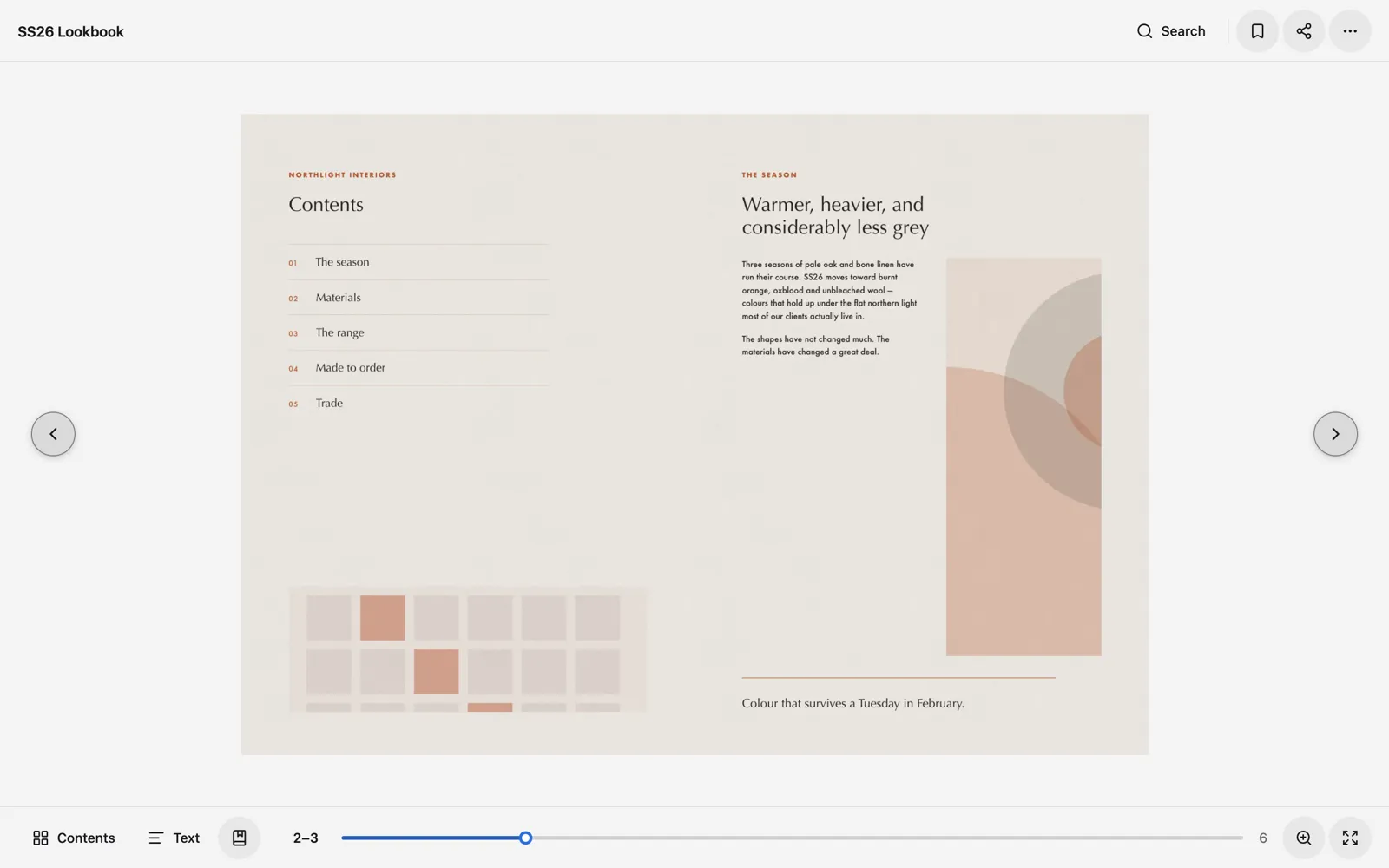
In our own reader, on a throttled 4G connection, that works out as the first page arriving about 35% sooner than the engine it replaced, and about 31% fewer image bytes to read ten pages. Those are the numbers we trust, because they came from the thing people actually use rather than from a test bench.
A shadow that knows where your text is
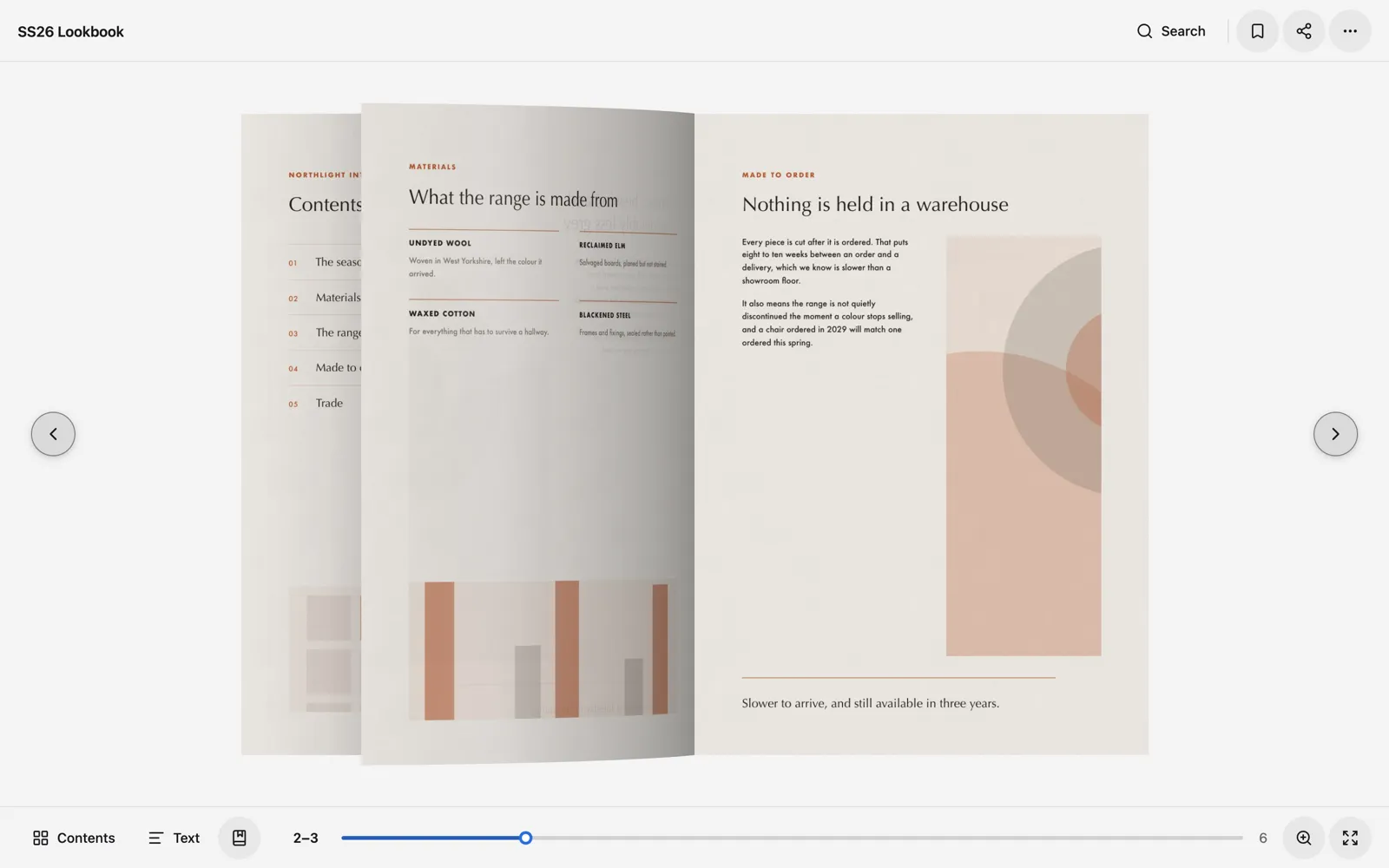
A real bound page does not lie flat. Near the spine it curves down into the binding, and there is a shadow in the dip. Leaf draws that — and then it looks at the page before it does.
It samples the strip of page beside the spine, works out how close the nearest print is, and eases the shadow back where there are words to protect. On a page with clean margins you get the full depth of it. On a page where a line of type runs straight across the gutter, the shadow steps aside. That is the legibility rule, enforced by the renderer rather than left to luck.
It asks what a device can do, never what it is
A browser will tell you what it would like to be called; it will not tell you whether it can draw. So Leaf asks, once, before anyone has touched anything: can you give me a WebGL context? A plain 2D one? Has this person asked for less motion, or for the system to choose the colours? Every answer is a smaller promise honestly kept rather than a larger one broken, each step down happens by itself at runtime, and a lost context or a failed texture drops that one turn to the next tier rather than failing in front of a reader.
Your links, videos and text come with it
Leaf hands the reader the element each page is drawn in, and the reader puts its own layers inside it — link hotspots, video posters, and the searchable text behind every page. Because they live inside the page Leaf owns, they move, resize and hide through a turn with nothing to keep in sync.
How we tested it
A page turn is a visual thing, which makes it exactly the kind of feature that is easy to break without noticing. So most of the work was in being able to tell.
- A playground that runs six engines side by side — Leaf and five others, the same documents, the same throttled conditions — so every claim is a comparison rather than an impression.
- A parity suite that drives the engine through the behaviours the old library got wrong, so the faults we set out to fix stay fixed.
- A pixel-comparison test across renderers. It freezes the first and last frame of a turn on both the WebGL and canvas tiers and compares them against the resting page, pixel by pixel — because a hand-off you can see is worse than no animation at all.
- Contract tests on every tier, so stepping down is a tested path rather than a hopeful one.
- A benchmark against the real reader, with the chrome, the overlays and the service worker attached — not the engine on its own. That is where the 35% and the 31% come from.
Then we rolled it out the slow way: staff accounts first, then every customer, checking real documents on real devices at each step rather than trusting a green deploy.
And a reader to go with it
The engine arrived alongside a redesigned reader, and it is live for everyone too.
The chrome gets out of the way. The document is the brightest thing on the screen, the controls sit quietly at the edges, and the colours follow whatever theme the document’s owner has set — with contrast worked out automatically, so a dark brand palette does not produce grey text on a grey bar.
What is in it:
- Contents — every page as a thumbnail, to jump straight to the one you want.
- Search, across the real text of the document, not just its title.
- Text, a readable transcript of the page you are on, which is also what makes a document searchable and screen-reader friendly.
- Saved pages, so a reader can mark the spreads they want to come back to.
- Zoom and full screen, with the page staying sharp as you go in.
- Present mode, for walking somebody through a document on a call.
- Share, for the page you are actually on rather than the front cover.
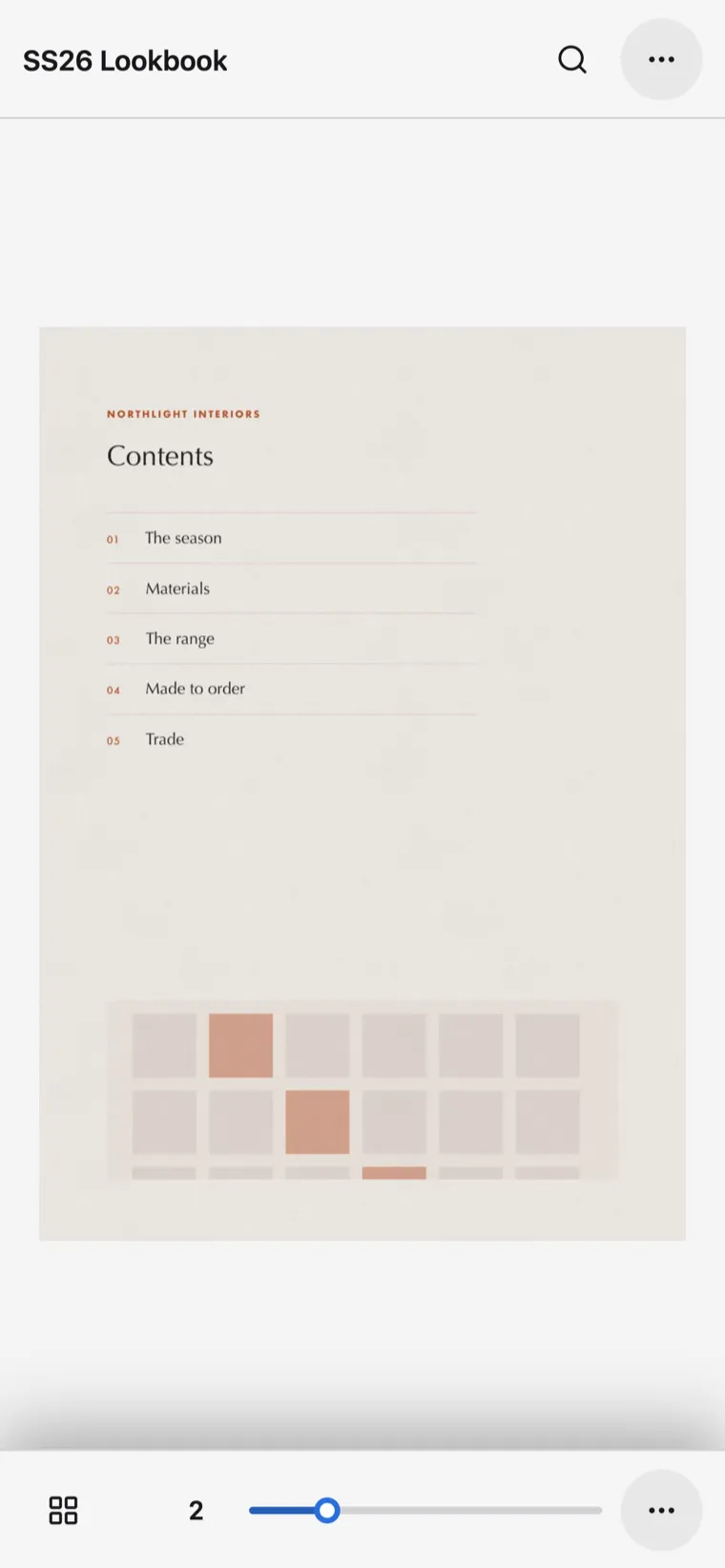
On a phone it folds down rather than shrinking: one page instead of a spread, a compact bar top and bottom, and the full menu one tap away as a sheet sized for a thumb. Most documents are read on a phone, so that is the layout that got the attention rather than the one that got the leftovers.
What this means for your documents
Nothing you have to do — but here is what you should notice.
Documents open faster. Long documents stay smooth instead of getting heavier the further you read. Wide pages are shown whole instead of being squeezed. The page turn looks like paper. And if a device cannot manage all of that, the reader quietly steps down a level and the document still opens.
If you publish annual reports, brochures or anything with a fold-out, that third one stops being a compromise you had to accept.
Where it goes next
Leaf is a self-contained set of packages that knows nothing about Living Page — the book it renders is described by a small, versioned format that holds content only. That was deliberate. It means the thing deciding how your document looks is code we can change on the day you ask us to, rather than a dependency we hope is still maintained.
That is the real win, and it is the one we set out for. The page turn had been standing still while everything underneath it moved on. Now the part of the product that decides how your document feels is ours to push, and we are not finished with it.
If you would like to turn the pages of one rather than read about it, there is a live magazine running on the new engine on our digital magazine page.
Frequently asked questions
- What is Leaf?
- Leaf is the engine that turns the pages in a Living Page flipbook. It replaces the open-source library we used before, and we wrote it ourselves so that the way a document behaves is something we can shape rather than something we inherit.
- Do I need to do anything to my documents?
- No. Every document you have already published is already running on the new engine. Nothing is re-uploaded, nothing is re-rendered, nothing is migrated, and no link changes.
- Will my flipbook look different?
- The page turn is new and the reader around it has been redesigned. The pages themselves are the same pages — same images, same text, same links and videos, in the same places.
- What happens on an older phone?
- Leaf draws the turning page with WebGL where the device supports it, steps down to a 2D canvas where it does not, and steps down again to a plain CSS turn on low-powered devices. Each step happens by itself, and the document still opens.
Read next
- What Is a Flipbook, and Why It Beats a PDF LinkA flipbook is your PDF, rendered as a page-turning reader in the browser. Here is what that actually changes — and when a plain PDF link is still fine.
- How to Embed a PDF on a Website Without It Looking BadMost embedded PDFs look broken on mobile and get skipped. Here is why the usual methods fail, and the three that actually work.
- How we give every document a transcriptEvery document on Living Page gets a text transcript — even scanned ones with no real text. The problem behind it, and the call that kept it fast.